










The wrong rental software can cost your business more than its monthly subscription fee.
An overlapping reservation can lead to client dissatisfaction. An unavailable asset can mean lost revenue. A missed return can delay the next rental. When your team has to check spreadsheets, messages, and payment records just to find one booking.
These problems grow with your rental business. More bookings mean more customer records. More assets mean more tracking. More locations mean more coordination.
That is where rental management software can make a difference.
But choosing the right platform isn’t about picking the one with the longest feature list. It is about finding a system that fits your workflow, reduces manual work, and gives your team better control.
So, what should you look for in rental management software?
This guide covers the key features, practical considerations, costs, and buying factors that can help you choose the right rental software for your business.
What Is Rental Management Software?
Rental management software is a centralized platform that helps businesses manage their rental operations from one place.
It can bring bookings, inventory, customers, payments, contracts, returns, maintenance, and reporting into one system.
Without dedicated software, these tasks often end up spread across spreadsheets, emails, calendars, messaging apps, and payment tools. That makes it harder to keep information accurate.
A Rental Management System connects these processes.
For example, when a customer books an asset, the system can update its availability. Once payment is completed, the booking can be recorded. After the asset is returned, your team can update its status and send it for maintenance if needed.
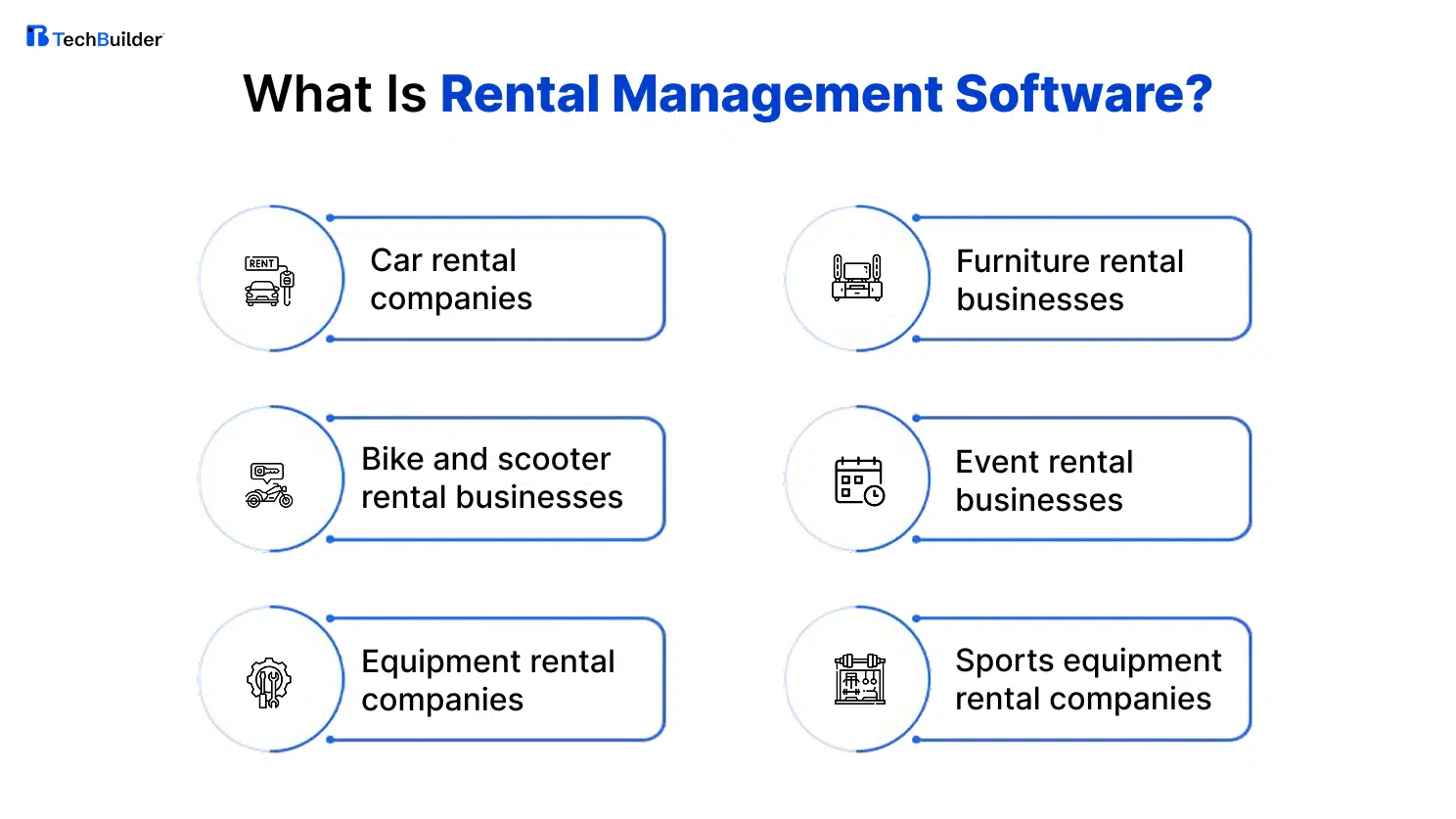
A complete rental management solution can support many types of businesses, including:
- Car rental companies
- Bike and scooter rental businesses
- Equipment rental companies
- Furniture rental businesses
- Event rental businesses
- Sports equipment rental companies
- Fashion rental businesses
- Property rental businesses
- Peer-to-peer rental marketplaces
The exact features you need will vary by industry.
The goal remains simple: make rentals easier to manage and easier to scale.
How Does Rental Management Software Work?
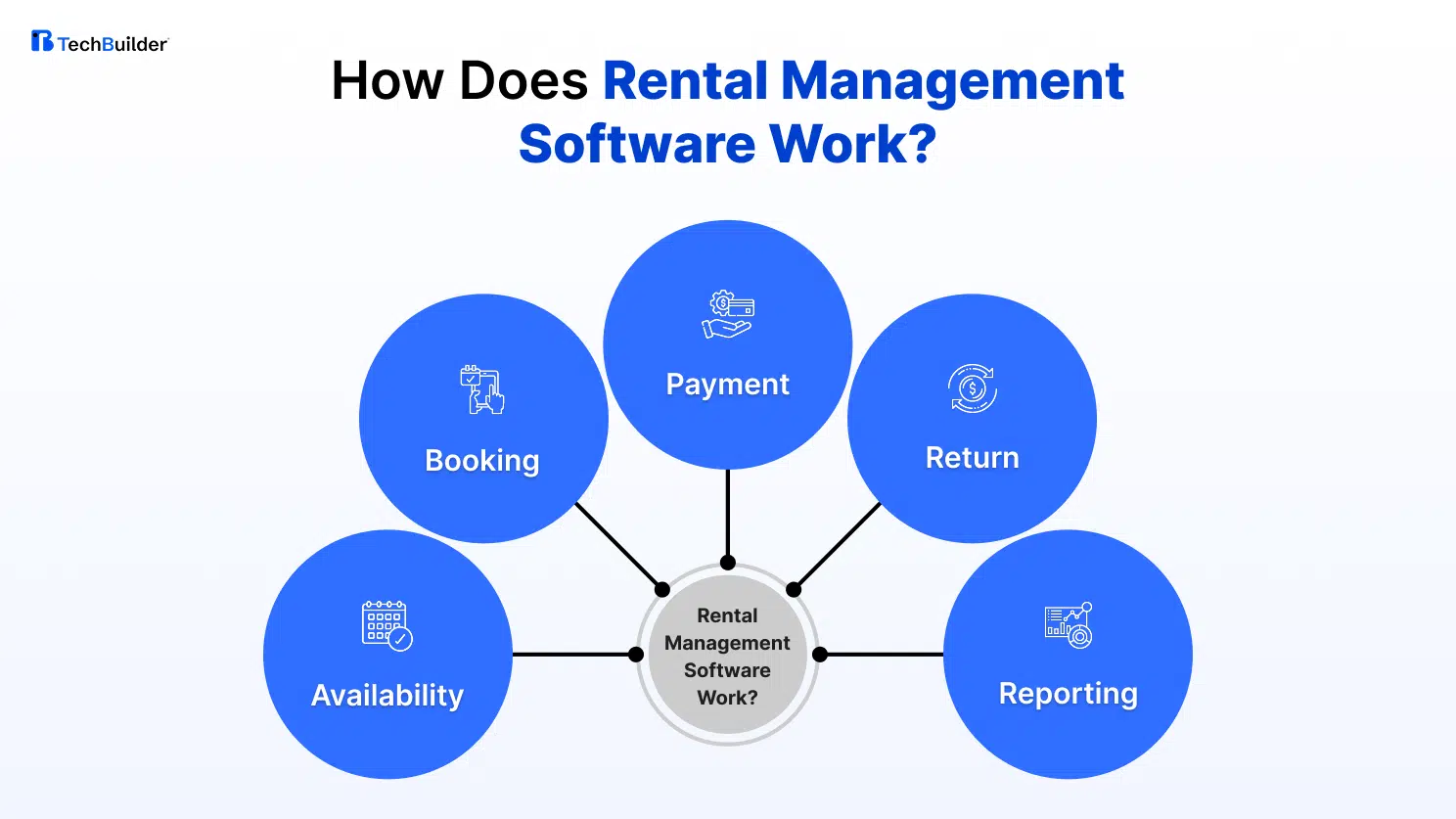
A typical rental journey looks like this:
Availability → Booking → Payment → Rental → Return → Asset Update → Reporting
Consider a bike rental business.
A customer checks available bikes for Saturday. They select one and make a booking.
The system marks that bike as reserved.
Another customer then sees the updated availability.
When the bike comes back, your team can mark it as available or send it for maintenance.
This is where the right rental software solution proves its value. It connects individual tasks into one clear workflow.
15 Must-Have Features to Look for in Rental Management Software
Not every business needs the same system.
A small bike rental company may need simple bookings and inventory tracking. A large equipment rental company may need advanced asset management, multiple locations, integrations, and detailed reporting.
Still, there are several features worth checking before you make a decision.
- Real-Time Rental Inventory Management
You need to know what is available right now.
Not what was available when someone last updated a spreadsheet.
Good inventory management should show the current status of every asset. That may include available, reserved, rented, under maintenance, damaged, or unavailable.
Look for real-time updates and useful filters. Being able to sort inventory by location, category, asset type, or status can make daily operations much easier.
The system should also prevent two customers from booking the same asset for overlapping periods.
- Online Booking & Reservation Management
Customers don’t always want to call your team to ask about availability.
A good booking system lets them check availability and make reservations themselves.
Look for features such as:
- Real-time availability
- Date and time selection
- Rental duration
- Booking confirmation
- Cancellation
- Rescheduling
- Booking status
The booking process should also be simple.
If customers have to complete too many steps, some may leave before completing the reservation.
- Customer & Rental History Management
Customer information becomes increasingly valuable over time.
Your software should keep useful information in one place. This can include customer details, previous rentals, bookings, payments, documents, and communication records.
When a returning customer contacts your team, staff should be able to see their history quickly.
This saves time and can also help you identify repeat customers and valuable customer segments.
- Flexible Pricing & Rate Management
Rental pricing can change based on several factors.
You may offer hourly, daily, weekly, or monthly rates. Seasonal demand may also affect your prices.
Look for software that can manage:
- Different rental rates
- Seasonal pricing
- Weekend rates
- Long-term pricing
- Discounts
- Promotional offers
- Security deposits
- Additional charges
Your pricing rules should be easy to update without technical assistance.
You shouldn’t need technical assistance every time you want to change a rental rate.
- Online Payments, Deposits & Invoicing
Payment processing should fit naturally into the rental workflow.
Your platform may need to handle online payments, security deposits, refunds, invoices, and payment status.
This makes it easier to see which bookings are paid and which still need attention.
Before choosing a platform, check which payment methods it supports. Also look at how it handles failed payments, refunds, deposits, and transaction records.
- Digital Contracts & Agreements
Paper contracts can become difficult to organize as rental volume increases.
Digital agreements keep important documents in one place.
Depending on your business, you may need rental agreements, customer signatures, identity documents, deposit details, and terms and conditions.
A good system should make the agreement process simple for both your staff and customers.
It should also make signed documents easy to find later.
- Pickup, Delivery & Return Management
A rental doesn’t end when the booking is confirmed.
The asset still needs to be prepared. It may need to be picked up or delivered. Then it needs to come back on time.
Your software should help your team manage these steps.
Look for pickup scheduling, delivery tracking, return dates, and late-return management.
This becomes especially useful when several rentals are active at the same time.
- Asset Tracking & Status Management
Rental inventory is more than just a number.
Every asset can have a different status.
One vehicle may be available. Another may be rented. A third may need servicing.
Good asset tracking lets you manage these items individually. You can keep records of their status, location, usage, condition, and other relevant information.
This is particularly important for businesses managing vehicles, equipment, or high-value assets.
It also gives your team a clearer picture of asset utilization.
- Maintenance & Damage Tracking
A returned asset isn’t always ready for the next customer.
It may need cleaning, inspection, repair, or servicing.
Your software should let your team record maintenance work and damage. You can also maintain a service history for each asset.
This helps prevent another common problem:
Booking an asset that isn’t actually ready for the next customer.
A clear maintenance record also helps you understand how often individual assets require attention.
- Automated Notifications & Reminders
Your team shouldn’t have to remember every booking and return date.
Automated notifications can handle routine communication, including:
- Booking confirmations
- Payment confirmations
- Pickup reminders
- Return reminders
- Cancellation updates
- Late-return alerts
Automation saves staff time.
It also keeps customers informed without requiring someone to send every message manually.
When comparing platforms, check whether notifications can be customized based on booking status and customer actions.
- Multi-Location Management
Managing one rental location is very different from managing five.
Once you have multiple branches, you need to know where your assets are and which location has availability.
Multi-location functionality gives you a centralized view of your operations.
It can help teams manage branch-level inventory, bookings, and asset transfers.
If expansion is part of your business plan, check whether the platform can support additional locations without creating separate systems.
- Reports & Business Analytics
Rental software should do more than simply store information.
It should help you understand your business.
Useful reports can show:
- Revenue
- Booking volume
- Asset utilization
- Cancellation rates
- Customer activity
- Location performance
- Rental trends
These insights can help you decide which assets to buy, when to adjust pricing, and where you have room to improve.
For example, if certain assets remain unused for long periods, you may need to rethink your pricing or inventory strategy.
- Mobile Accessibility
Rental work doesn’t always happen in an office.
Your team may be checking an asset, meeting a customer, processing a return, or coordinating a delivery.
Mobile access allows employees to view and update information while they are away from their desks.
At minimum, the platform should work well on mobile devices.
For businesses with field teams, a dedicated mobile application may be even more useful.
- Third-Party Integrations
Your rental software will rarely work alone.
You may already use payment gateways, accounting tools, CRM systems, mapping services, communication platforms, or other business software.
The rental process doesn’t end when the booking is confirmed.
Check which integrations are available before choosing a solution. Also find out whether APIs are available for future requirements.
Good integration support can prevent your team from entering the same information into several systems.
- API & Customization Support
Not every rental business follows the same process.
You may have unique pricing rules. Your booking flow may be different. You may need a special approval process or a connection with an internal system.
That is where customization becomes important.
A flexible custom rental software setup can adapt to your business instead of forcing your business to adapt to the software.
If your requirements go beyond what an existing platform can provide, custom rental management software may offer more control over workflows, features, integrations, and the overall customer experience.
One useful question to ask a provider is:
“What happens if my business needs a feature the platform doesn’t currently offer?”
The answer can tell you how flexible the solution really is.
How to Know Which Features Your Rental Business Actually Needs
More features don’t always mean better software.
The right choice depends on your business size, rental volume, team, and future plans.
Small Rental Businesses
A small operation may only need the essentials.
That could include online booking, inventory management, customer records, payments, notifications, and basic reporting.
The priority should be keeping the system simple.
Your team should be able to learn the system quickly and use it without unnecessary complexity.
A basic rental management solution can be enough if your workflows are straightforward.
Growing Rental Businesses
Growth changes the requirements.
More bookings mean more customer data. More assets mean more tracking. More locations mean more coordination.
At this stage, automation becomes increasingly important.
You may need advanced reporting, integrations, flexible pricing, better inventory controls, and multi-location support.
Choose a platform that can grow with the business rather than solving only today’s problems.
If you already know that your workflows will become more complex, consider whether rental management system development could give you more flexibility in the long run.
Large Rental Operations
Large rental businesses typically need greater control.
They may manage large inventories, multiple branches, different teams, and complex workflows.
In these cases, features such as advanced analytics, role-based access, API support, detailed asset records, and custom workflows can become important.
The goal isn’t to buy the biggest system.
It is to find one that can handle the complexity of your operation.
What Should You Check Beyond the Feature List?
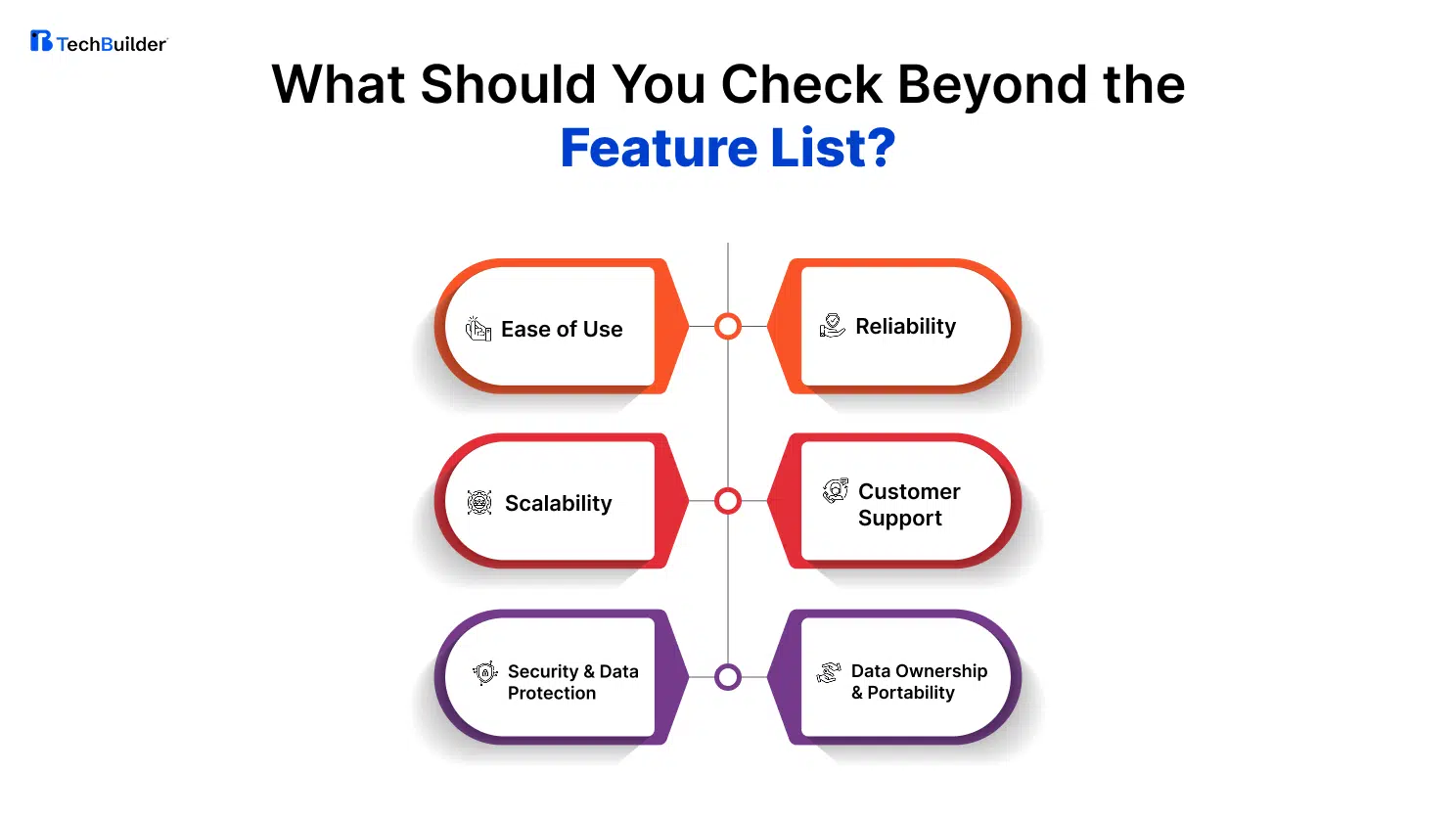
A feature list can tell you what a rental platform offers. It doesn’t tell you how well it will work for your business.
Before making a decision, look at the factors that affect everyday usability, long-term growth, security, and overall ownership.
Ease of Use
Your team will use the software every day, so it shouldn’t feel complicated. Ask them to test common tasks such as creating a booking, checking asset availability, updating a return, and finding a customer record.
Pay attention to how many steps each task takes. A system may offer every feature you need, but if your staff struggles to use it, adoption can become a problem.
Scalability
The software should support your business beyond its current size.
Maybe you have one location and a small inventory today. In a few years, you may have more assets, customers, employees, bookings, or branches.
Before choosing a platform, find out how well it can handle that growth. Replacing your rental system every time the business expands can be costly and disruptive.
Security & Data Protection
Rental software can store customer details, payment information, contracts, identification documents, and other business data.
Protecting that information should be a basic requirement.
Ask providers about data security, user permissions, authentication, backups, and how sensitive information is handled. Also find out who can access your data and under what conditions.
Reliability
Your rental operation depends on having access to bookings, customer information, and inventory data when you need them.
If the system frequently becomes unavailable, even simple tasks can turn into manual work.
Check the provider’s approach to uptime, backups, system recovery, and technical issues. A reliable platform should have a clear plan for unexpected problems.
Customer Support
Even a well-designed platform may require support from time to time.
A technical issue during a busy rental period can quickly affect your customers and staff.
Before signing up, make sure you understand what support is included. Check whether assistance is available through email, phone, live chat, or dedicated support.
Also ask whether support continues after implementation.
Data Ownership & Portability
Think about what happens if you decide to change software in the future.
Your customer records, booking history, inventory information, and reports are valuable business assets.
Ask whether you can export your data in a usable format. Also check whether there are restrictions on accessing it.
Clear data ownership gives you more freedom in the long run.
Off-the-Shelf vs. Custom Rental Management Software: Which Is Right for You?
Once you know what your business needs, there is another decision to make.
Should you use an existing rental platform? Or should you invest in custom rental management software?
Both options can work.
The right choice depends on how closely your business fits standard rental workflows.
| Factor | Off-the-Shelf Software | Custom Rental Management Software |
| Customization | Limited | Fully customizable |
| Features | Pre-built | Built to requirements |
| Implementation | Faster | Requires development |
| Integrations | Available integrations | Custom integrations possible |
| Workflow | Standard workflows | Business-specific workflows |
| Scalability | Depends on platform | Designed for your growth |
| Cost | Lower initial cost | Higher initial investment |
| Control | Provider-dependent | Greater control |
| Best For | Standard rental businesses | Businesses with unique requirements |
Off-the-shelf software can be practical when your requirements are straightforward and you want to get started quickly.
Custom software takes more planning. However, it can be designed around your exact workflows, integrations, and long-term requirements.
The better choice isn’t necessarily the cheaper one.
It is the option that fits your business best.
If your operation follows standard rental processes, an existing platform may be enough. If your workflows are specialized, rental software development can provide greater control over the way your platform works and evolves.
How Much Does Rental Management Software Cost?
There isn’t one fixed price for rental management software. The cost depends on the type of solution and what your business needs.
Subscription-based platforms may charge based on users, locations, assets, bookings, or features.
Custom development follows a different model. The investment depends on the scope and complexity of the project.
For businesses considering rental management system development, common cost factors include:
- Number of platforms
- Admin dashboard
- Customer application
- Number of users
- Rental volume
- Number of locations
- Payment integrations
- Third-party APIs
- Custom workflows
- Reporting requirements
- Automation
- Maintenance and support
But the software price isn’t the only cost to consider. Manual work also has a cost.
How much time does your team spend updating spreadsheets? How many bookings need manual follow-up? How often do inventory errors happen? How much revenue could be lost because an asset sits unused?
These costs may not appear on a software invoice, but they still affect your business.
So look beyond the initial price.
Consider the value the software can deliver over the next few years.
Rental Management Software Comparison Checklist
You’ve shortlisted a few rental platforms.
Now it’s time to compare them more carefully.
Core Operations
- Real-time rental inventory management
- Online booking
- Customer management
- Pricing management
- Payment processing
- Digital contracts
Rental Operations
- Pickup management
- Delivery management
- Return tracking
- Asset tracking
- Maintenance records
- Damage tracking
- Automated reminders
Business Management
- Multi-location support
- Reports and analytics
- Mobile access
- User roles
- Third-party integrations
- API access
Long-Term Requirements
- Scalability
- Security
- Reliability
- Customer support
- Data ownership
- Customization
- Transparent pricing
But don’t stop at ticking boxes.
Test the important features.
If a provider says it has rental inventory management, ask for a demonstration.
If it supports integrations, ask about the tools your business already uses.
If it claims to be scalable, ask how the platform handles more users, assets, bookings, and locations.
A product demo can reveal issues that a feature list won’t.
Conclusion
Choosing rental management software is a business decision, not just a technology decision.
Don’t choose a platform simply because it has hundreds of features or the lowest price. Start with your business. Look at your bookings, inventory, payment processes, customers, staff, assets, and future growth plans.
Then evaluate the software against those needs. Consider usability, scalability, security, integrations, support, and data ownership before making a decision.
If your business can work comfortably with a standard platform, an existing solution may be the practical choice. But if your workflows are unique, your integrations are complex, or you need greater flexibility and control, custom rental management software may be worth considering.
At TechBuilder, we believe technology should support the way your business works while giving you the flexibility to grow and adapt over time.
The right rental management solution should simplify your daily operations today and help your business stay ready for tomorrow.
So instead of asking, “What does this software offer?” ask:
“Will this rental management software help my business run better?”
That is the question worth answering before you invest.
Frequently Asked Questions About Rental Management Software
What is rental management software?
Rental management software is a centralized platform that helps businesses manage rental operations. It can handle inventory, bookings, customers, payments, contracts, returns, maintenance, and reporting.
What are the most important features of rental management software?
The most important features depend on the business. However, real-time inventory, booking management, payments, customer records, asset tracking, reporting, integrations, and scalability are important areas to evaluate.
How does rental management software manage inventory?
It tracks the status of rental assets. Your team can see whether an item is available, reserved, rented, under maintenance, damaged, or unavailable.
Can rental management software handle online bookings and payments?
Yes. Many rental platforms support online bookings and payment processing. Before choosing one, check whether it supports your preferred payment methods, deposits, refunds, and pricing structure.
Is rental management software suitable for small businesses?
Yes. Small businesses can use rental software to simplify bookings, inventory, customer management, payments, and daily operations. The key is choosing a solution that matches the size of the business.
What is the difference between custom and off-the-shelf rental software?
Off-the-shelf software provides pre-built functionality and is usually faster to implement. Custom rental software is developed around specific business requirements and provides greater flexibility over workflows, features, and integrations.
How much does rental management software cost?
The cost varies based on the software model, users, assets, locations, features, integrations, customization, and support requirements.
Can rental management software be customized?
Some platforms offer configuration and customization options. Custom rental management software can be designed around specific workflows, integrations, features, and operational requirements.